Digital Input
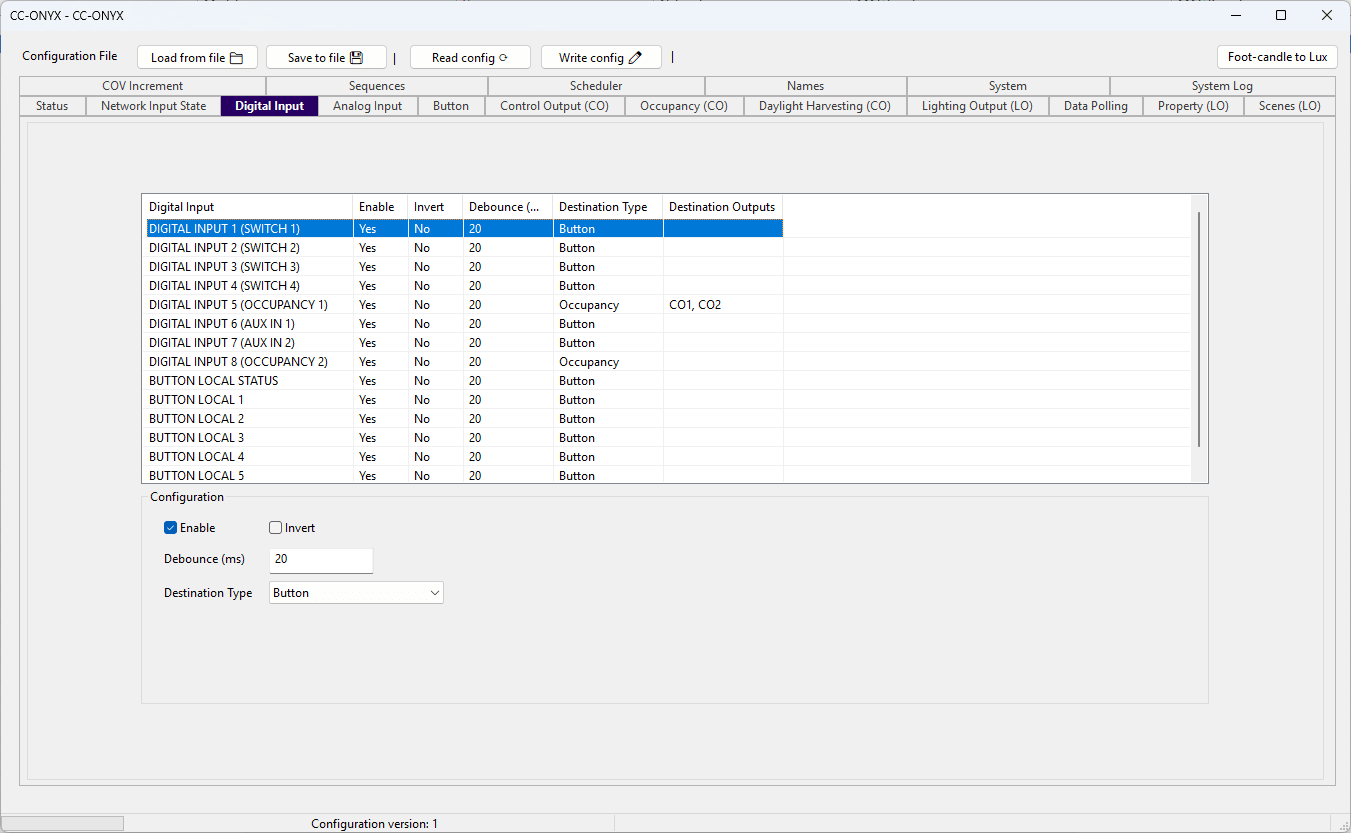
The Digital Input tab configures how the controller reacts to its eight physical digital inputs and its six local buttons. The list at the top shows every input with its current settings. Select a row to edit it in the Configuration panel below.
Input list
| Column | Description |
|---|---|
| Digital Input | Name of the input. Inputs 1 to 8 are the physical digital inputs (with their hardware role in parentheses). BUTTON LOCAL STATUS and BUTTON LOCAL 1 to BUTTON LOCAL 5 are the local buttons. |
| Enable | Whether the controller processes this input (Yes) or ignores it (No). |
| Invert | Whether the logical state reported by the input is reversed. |
| Debounce (ms) | How long the input must remain stable before a state change is accepted. |
| Destination Type | How the input is handled: Button or Occupancy. |
| Destination Outputs | Control outputs driven by the input when its type is Occupancy. |
Configuration
Edit the selected input with the fields in the Configuration panel.
| Field | Description |
|---|---|
| Enable | Whether the controller processes this input (checked) or ignores it (unchecked). When cleared, the other fields are disabled. |
| Invert | Reverses the logical state reported by this input. |
| Debounce (ms) | How long the input must remain stable before the controller accepts a state change. Range 0 to 4095 milliseconds. |
| Destination Type | Choose whether the input is handled as a button press (Button) or as an occupancy signal (Occupancy). |
Destination Outputs
When Destination Type is set to Occupancy, a set of CO1 to CO5 checkboxes appears. Check each control output that this input should drive. Any combination of control outputs can be selected.