Scenes (LO)
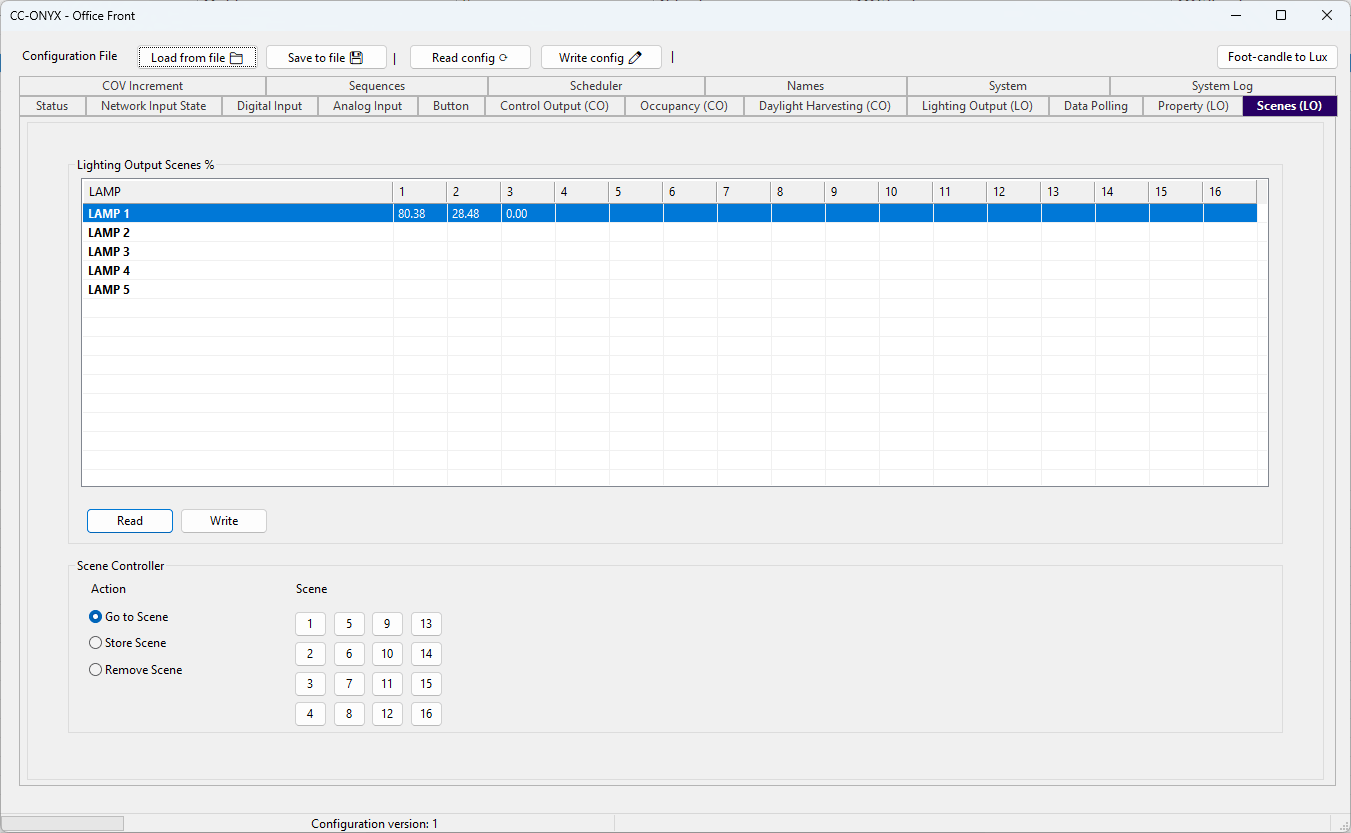
The Scenes tab stores a light level for each light output in up to 16 scenes. Recalling a scene drives every light output to the level stored for that scene.
Lighting Output Scenes %
The list shows the level, in percent, that each light output uses for each scene. Rows are the light outputs and columns 1 to 16 are the scenes.
| Column | Description |
|---|---|
| LAMP | Name of the light output. |
| 1 to 16 | Level in percent (0.00 to 100.00) that the light output reaches when the scene is recalled. An empty cell means no value is stored for that scene. |
Click a cell to edit its level. Use Read to load the stored scene levels from the device, and Write to send the edited levels back to the device.
Scene Controller
The Scene Controller runs a scene action on the light output selected in the list above. Choose an action, then click the scene number to apply it.
Action
| Action | Description |
|---|---|
| Go to Scene | Recalls the scene and drives the light output to its stored level. |
| Store Scene | Saves the current light output level as the value for the scene. |
| Remove Scene | Clears the stored value for the scene. |
Scene
The buttons 1 to 16 select which scene the action applies to. Select a light output in the list first, then click a scene number to run the chosen action on the device.