Daylight Harvesting (CO)
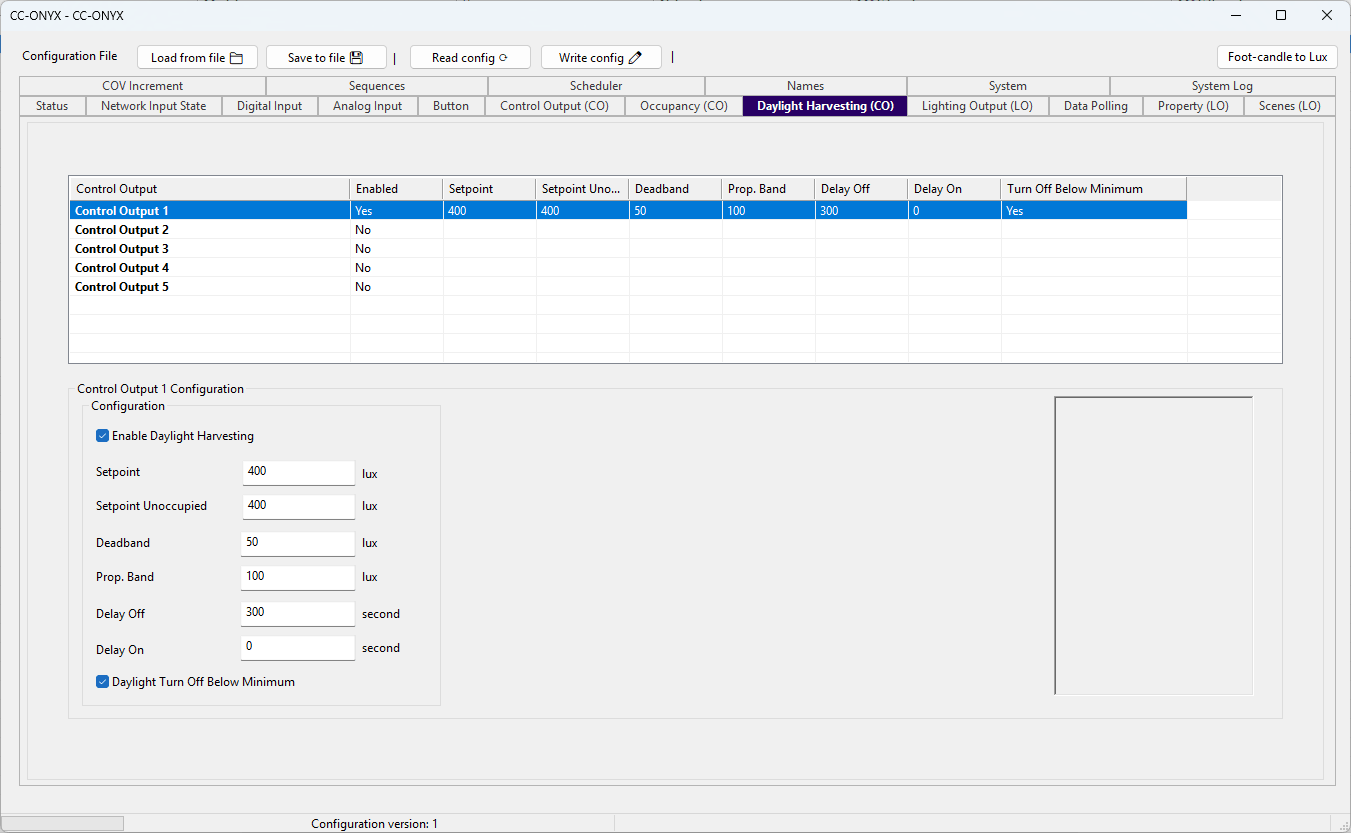
The Daylight Harvesting tab configures how each control output uses the measured light level (lux) to maintain a target light level. The list at the top shows every control output with its current daylight settings. Select a row to edit it in the Configuration panel below.
Control output list
| Column | Description |
|---|---|
| Control Output | Name of the control output (Control Output 1 to Control Output 5). |
| Enabled | Yes when daylight harvesting is enabled for this output, No when it is disabled. |
| Setpoint | Target light level maintained when the space is occupied, in lux. |
| Setpoint Unoccupied | Target light level maintained when the space is unoccupied, in lux. |
| Deadband | Range around the setpoint within which the output level is not changed, in lux. |
| Prop. Band | Proportional band used by the control loop, in lux. |
| Delay Off | Time the daylight calculation must stay at zero before the output turns off, in seconds. |
| Delay On | Time the daylight calculation must stay above zero before the output turns on, in seconds. |
| Turn Off Below Minimum | Yes when the output can turn fully off once enough daylight is available, No when it only dims to its minimum level. |
Configuration
| Field | Unit | Description |
|---|---|---|
| Enable Daylight Harvesting | When checked, the controller adjusts this control output to maintain the light level setpoint using the measured lux. When cleared, daylight harvesting is disabled for this output. | |
| Setpoint | lux | Target light level maintained when the space is occupied. |
| Setpoint Unoccupied | lux | Target light level maintained when the space is unoccupied. A value of 0 or more is used directly as the unoccupied setpoint. A negative value is a signed offset from the occupied setpoint (for example, occupied 500 with -100 gives 400, clamped at 0). |
| Deadband | lux | Range around the setpoint within which the output level is not changed, preventing constant adjustments. |
| Prop. Band | lux | Proportional band used by the control loop. A wider band gives a smoother but slower response to light changes. |
| Delay Off | second | Time the daylight calculation must stay at zero before the output is actually turned off. |
| Delay On | second | Time the daylight calculation must stay above zero before the output is turned on, when it is off. |
| Daylight Turn Off Below Minimum | When checked, daylight harvesting can turn the output fully off once enough daylight is available. When cleared, the output only dims down to its minimum level and never turns off. |