System Log
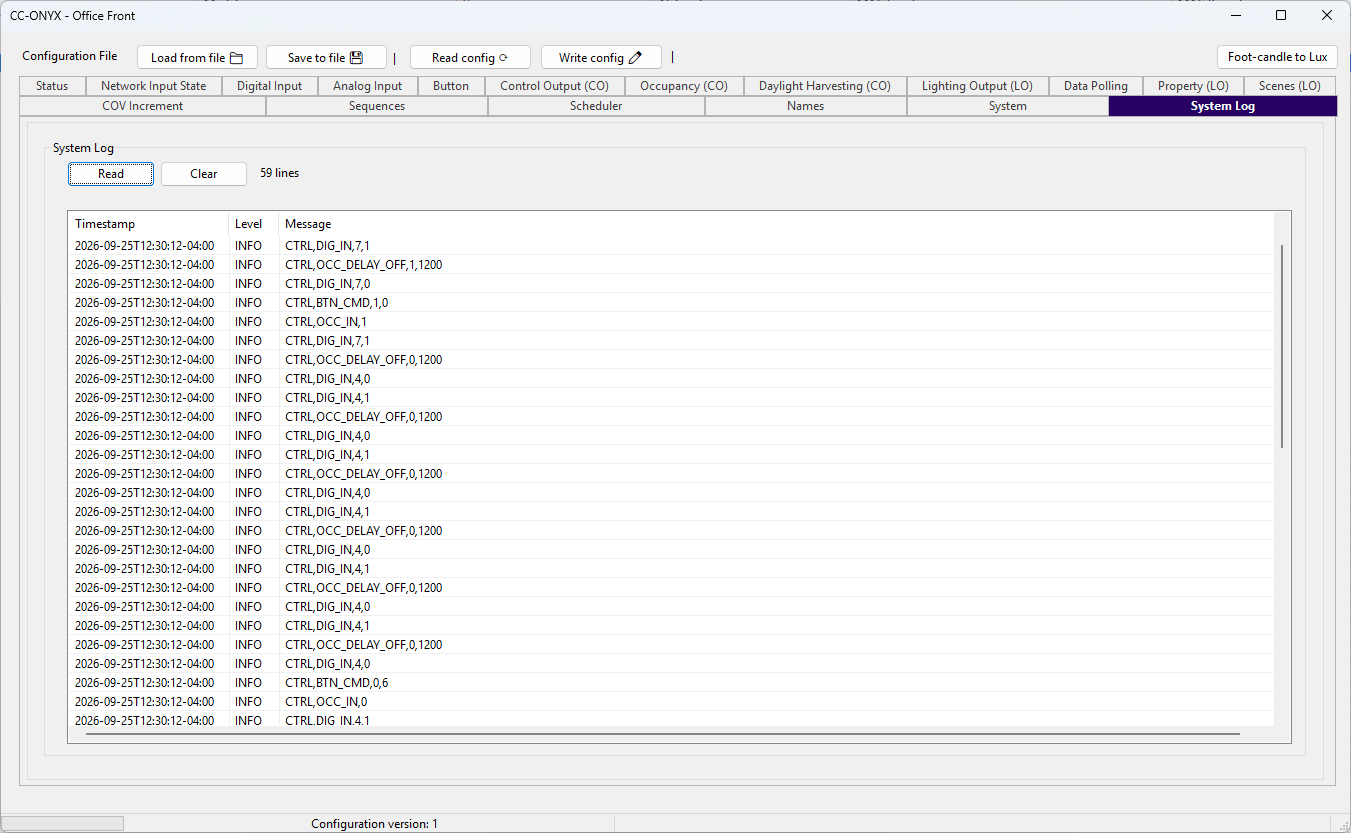
The System Log tab shows the internal event log of the device. Each entry records a timestamped event generated by the control logic, such as a digital input change, an occupancy state change, or a button command. The log is useful to trace the behaviour of the device and to troubleshoot the sequences.
Controls
Click Read to read the log from the device and display it in the list.
Click Clear to erase the log stored on the device.
Log list
| Column | Description |
|---|---|
| Timestamp | Date and time of the event, in ISO 8601 format with the time-zone offset. |
| Level | Severity of the entry (for example, INFO). |
| Message | Event description generated by the control logic. |
The Message column uses a comma-separated format that identifies the source and the value of the event. For example, CTRL,DIG_IN,7,1 reports that digital input 7 changed to 1, and CTRL,OCC_DELAY_OFF,0,1200 reports an occupancy delay-off event with its parameter.