Main Dialog
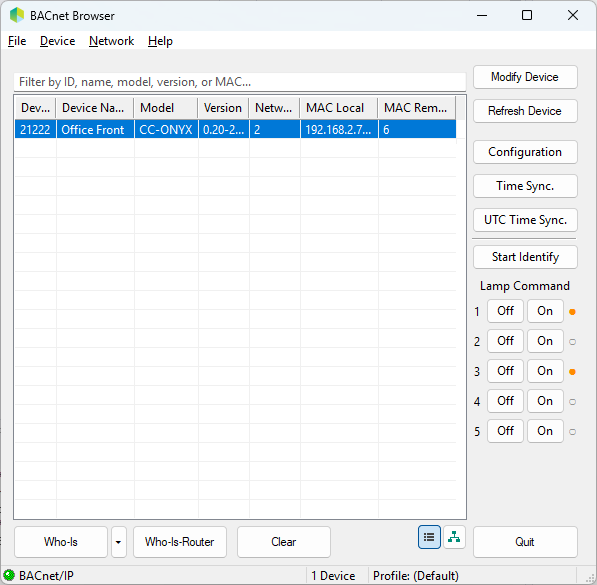
The buttons along the right side act on the controller selected in the device list.
| Button | Description |
|---|---|
| Modify Device | Modify the BACnet settings of the selected controller, such as Device Name, Device ID, MS/TP MAC, baud rate and Max Master. |
| Refresh Device | Read the latest values from the selected controller. |
| Configuration | Open the control configuration dialog. |
| Time Sync. | Send the local time to the selected controller. |
| UTC Time Sync. | Send the UTC time to the selected controller. |
| Start Identify | Start the controller identify routine to locate it, by blinking its lamp outputs. |
| Lamp Command (1 to 5) | Turn each lighting output Off or On directly, with a status indicator showing the current state. |